GoHighLevel
GoHighLevel Workflow Not Firing? 12 Causes and Fixes
Short answer
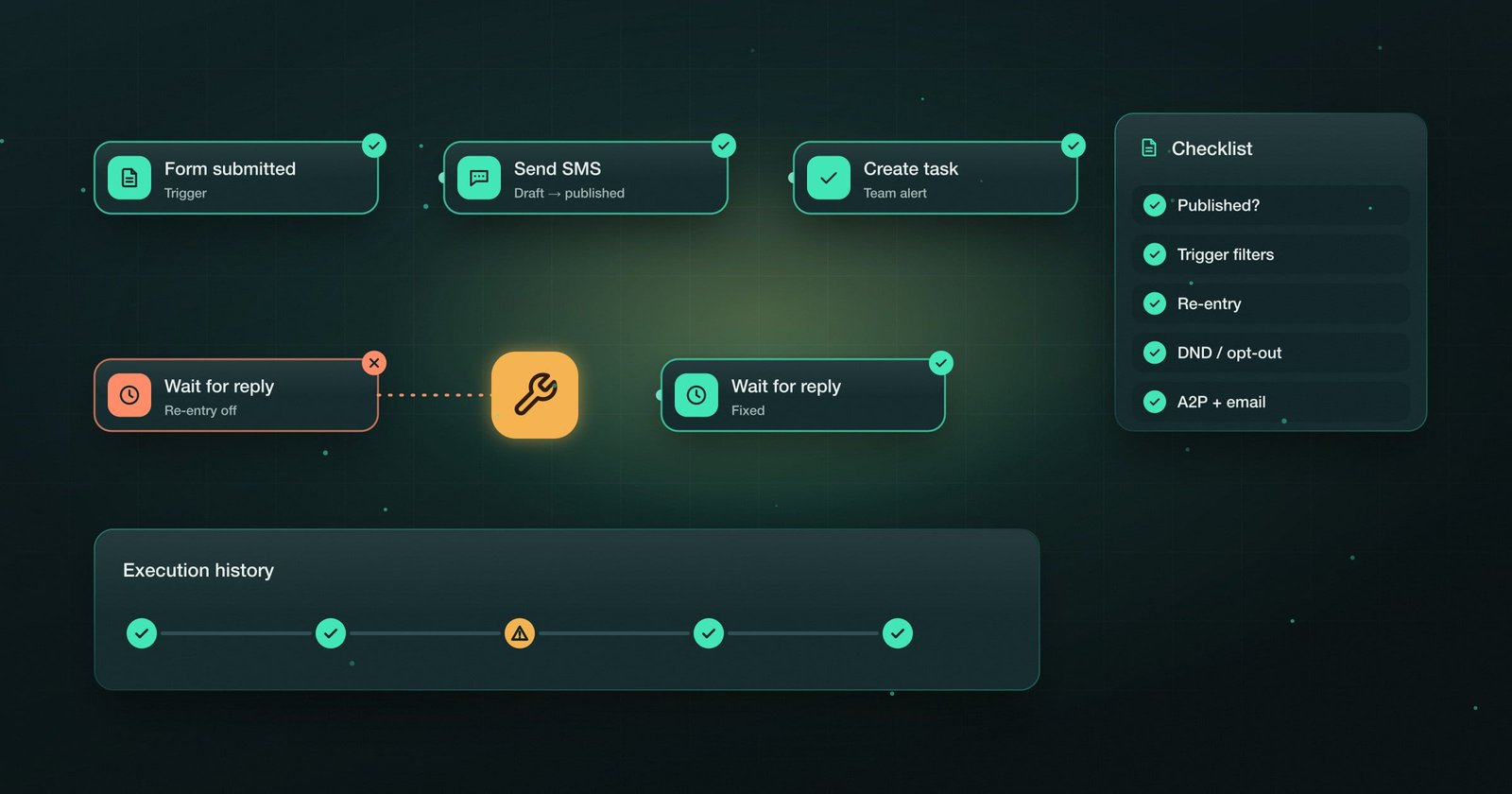
Most GoHighLevel workflows that don't fire have one of a few causes: the workflow isn't published, the trigger filters don't match, the contact already went through it and re-entry is off, the contact has Do Not Disturb on, or messages are blocked by A2P or email domain issues. Check the workflow's execution history for the contact first. It usually shows exactly where it stopped.
You built the workflow. It looks right. But leads aren’t getting the text, the task never appears, or contacts get stuck halfway. This is the most common GoHighLevel problem I’m asked to fix, and it’s almost always one of a handful of causes.
Work through this checklist in order. Menu names in GHL change from time to time, but the logic stays the same.
Step zero: check the execution history
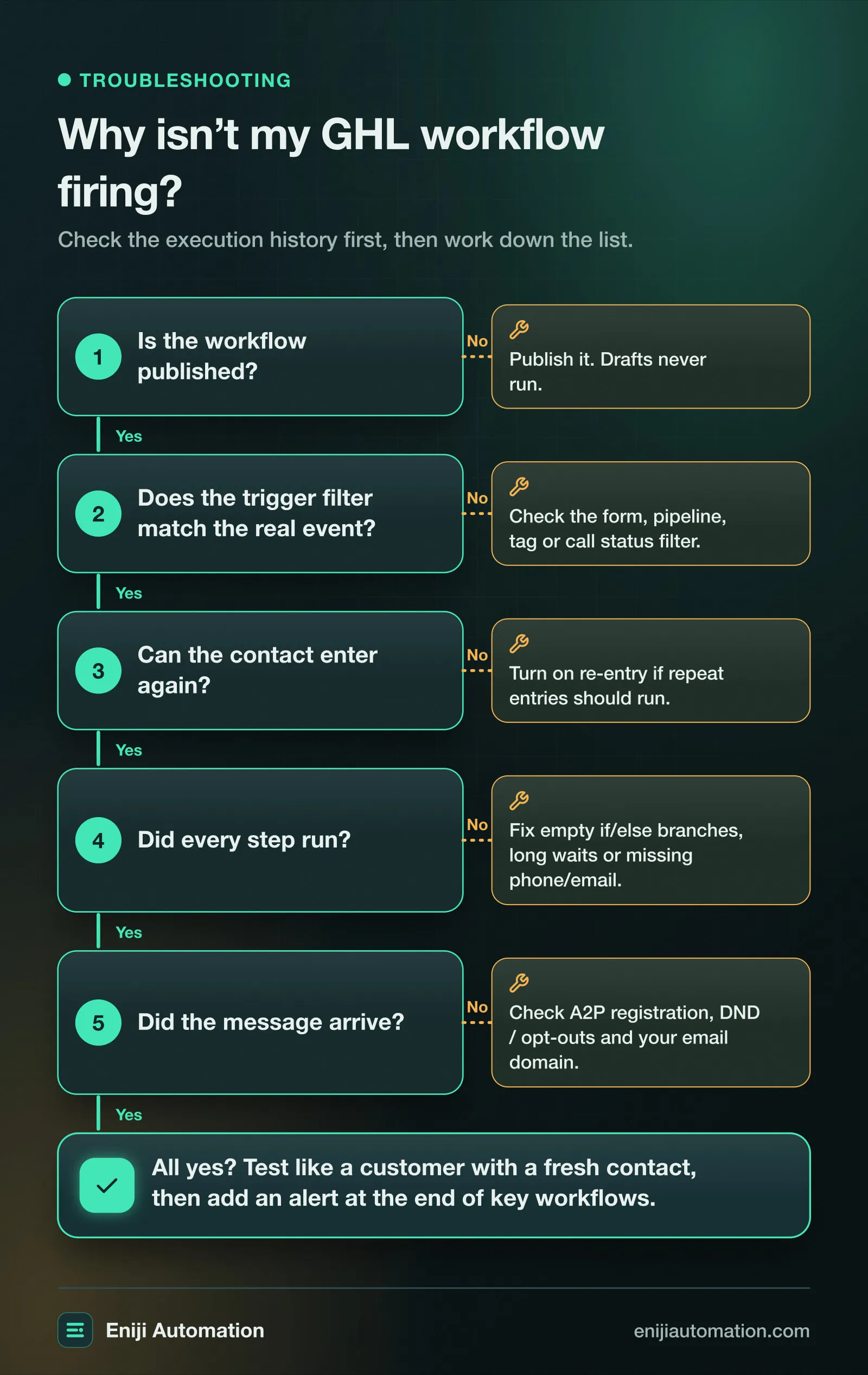
Work down this checklist to find why a GoHighLevel workflow didn’t fire.
Before changing anything, look at what actually happened. Open the workflow and check its execution logs / history, then search for a test contact. You’ll see one of three things:
- The contact never entered: it’s a trigger problem (causes 1–5).
- The contact entered but stopped: it’s a step or condition problem (causes 6–9).
- Every step ran but the message didn’t arrive: it’s a delivery problem (causes 10–12).
Trigger problems: the workflow never starts
1. The workflow isn’t published
It sounds obvious, but it’s the number one cause. A workflow in draft won’t run. Check the publish toggle and save.
2. The trigger filters don’t match
A trigger like “Form Submitted” with a filter for the wrong form, or “Pipeline Stage Changed” filtered to the wrong pipeline, will never fire. Open the trigger and check every filter against what really happens.
3. The event never actually happens in GHL
If your website form isn’t a GHL form, or calls ring a number that isn’t in GHL, the trigger can’t see the event. Make sure the form, calendar or number really belongs to this sub-account.
4. Re-entry is switched off
If a contact has been through the workflow before, they may be blocked from entering again. Check the workflow’s settings for re-entry, and decide deliberately whether repeat entries should be allowed.
5. The trigger is in the wrong sub-account
Agencies with many sub-accounts sometimes build or import the workflow into the wrong location. Confirm you’re in the right account.
Step problems: it starts but stops
6. An if/else condition sends contacts down an empty branch
Conditions such as “has tag”, “contact field equals” or “is in pipeline” are often a little off. A contact without the tag goes down the “no” branch, which has no steps. Check each branch has an action, even if it’s just an internal note.
7. A wait step is longer, or different, than you think
“Wait until” a date, wait for a reply, or wait inside business hours can hold contacts for longer than expected. Check the wait settings and the workflow’s time window settings.
8. Required data is missing
An SMS step can’t send to a contact with no phone number. An email step needs an email. Custom values or fields that are empty can also break messages. Make your forms capture what the workflow needs.
9. A webhook or integration step fails
If a step sends data to another tool (via webhook, Zapier, Make or n8n), a change on the other side, such as a renamed field or an expired API key, can break it. Check the step’s response in the execution log, and test the receiving end.
Delivery problems: everything ran but nothing arrived
10. A2P 10DLC isn’t registered or approved
For US numbers, unregistered SMS is often blocked by carriers. Messages show as sent or failed but never reach the phone. Read A2P 10DLC registration explained.
11. The contact has Do Not Disturb or opted out
If a contact replied STOP, or DND is on for SMS, email or all channels, GHL won’t send to them. Check the contact’s DND settings. Don’t override an opt-out.
12. Email domain isn’t set up
Emails from an unverified domain, or without proper SPF and DKIM records, often land in spam or get rejected. Set up a dedicated sending domain and verify it in GHL’s email settings.
How do you test a workflow properly?
Once fixed, test like a customer:
- Use a fresh test contact with a real phone and email you can check.
- Trigger the workflow the way a real lead would: submit the actual form, call the actual number.
- Watch the execution history step by step.
- Check the message arrives, not just that it “sent”.
- Reply, and check that goals or stop conditions work.
- Test the edge cases: no phone number, repeat submission, an opted-out contact.
How do you stop workflows breaking again?
- Name things clearly. “Web form – Quote request – Follow-up v2” beats “New workflow 7”.
- Add an internal alert to the end of important workflows, so you notice if they stop completing.
- Duplicate before making big changes. Test the copy, then switch.
- Keep a simple change log: what changed, when and why.
- Review monthly. Integrations change, carriers update rules and offers change.
Still stuck?
If you’ve worked through the list and it still isn’t firing, I can find and fix it. Our GoHighLevel CRM service starts with an audit of your pipelines, triggers and automations, and monthly support covers fixes when something stops working. If the problem is an integration with another app, see n8n custom automation.